Purpose
This feature allows you to communicate with Contacts that have had some kind of interest in the Property, recorded as an Activity. It gives you the ability to drill down to not only a specific time period, but also the type of activity itself.
Instructions
- Highlight the Listed Property you wish to work on, then click on the Create Brochure option under the Marketing Menu on the left
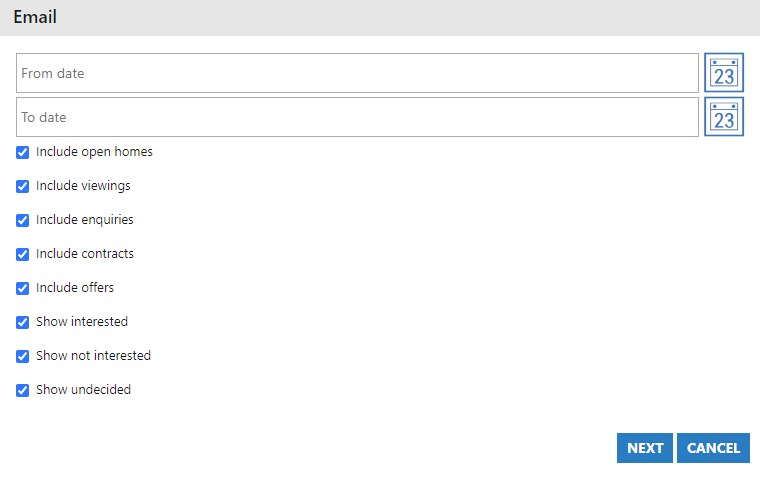
- Select the date period that you wish to use for the Activities. Leave this blank to use “For all time”
- Either turn on or off the types of activities you wish to target. If you want to email only those that made an offer, simply leave that ticked and turn off everything else. Once you are happy with your selections, press Next
- You are now presented with your choice of pre-defined templates, and the ability to select standard text if this is set up. This looks different for each agency. Select your template to continue.
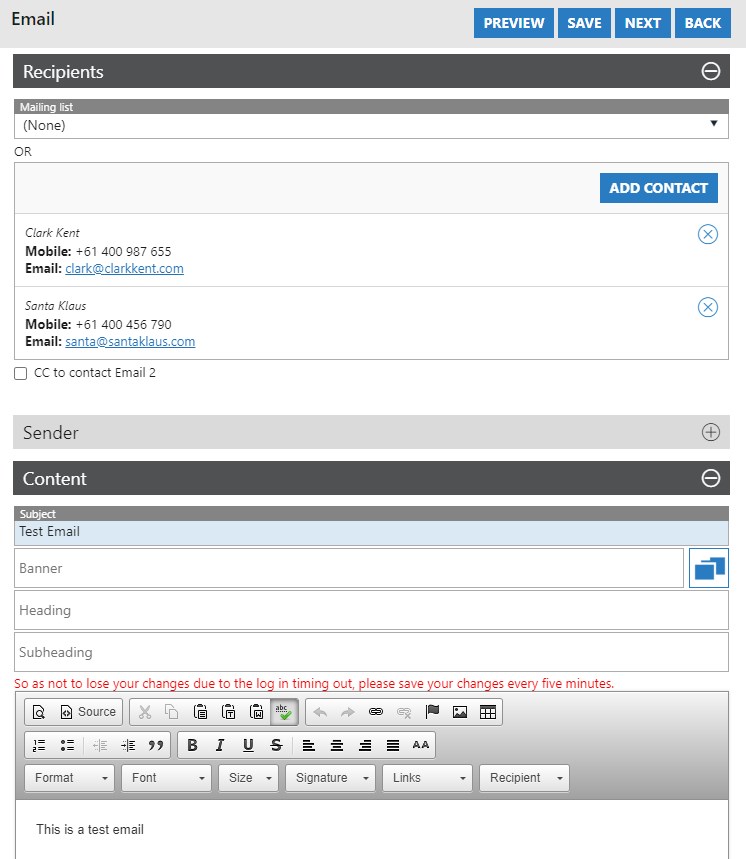
- Here we see that based on our selections, two Contacts have been found. Expand out the Sender field, and the Content field to craft your email. Here you can also press the Preview button to see what your email looks like at this point in time. Once done, press Next
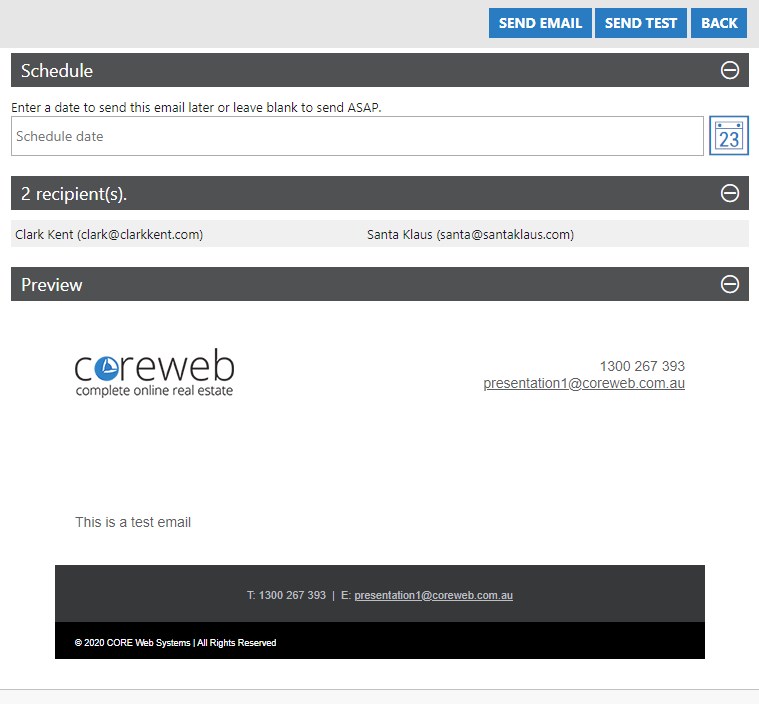
- On this screen you are presented with a summary of your work including confirmation of the recipients, and a preview of the email itself. If you wish to send this email at a certain time you can use the Schedule option and can also send a test to yourself using the “Send Test” button at the top of the screen.
- Once you are happy with everything and are ready, press Send Email.