Purpose
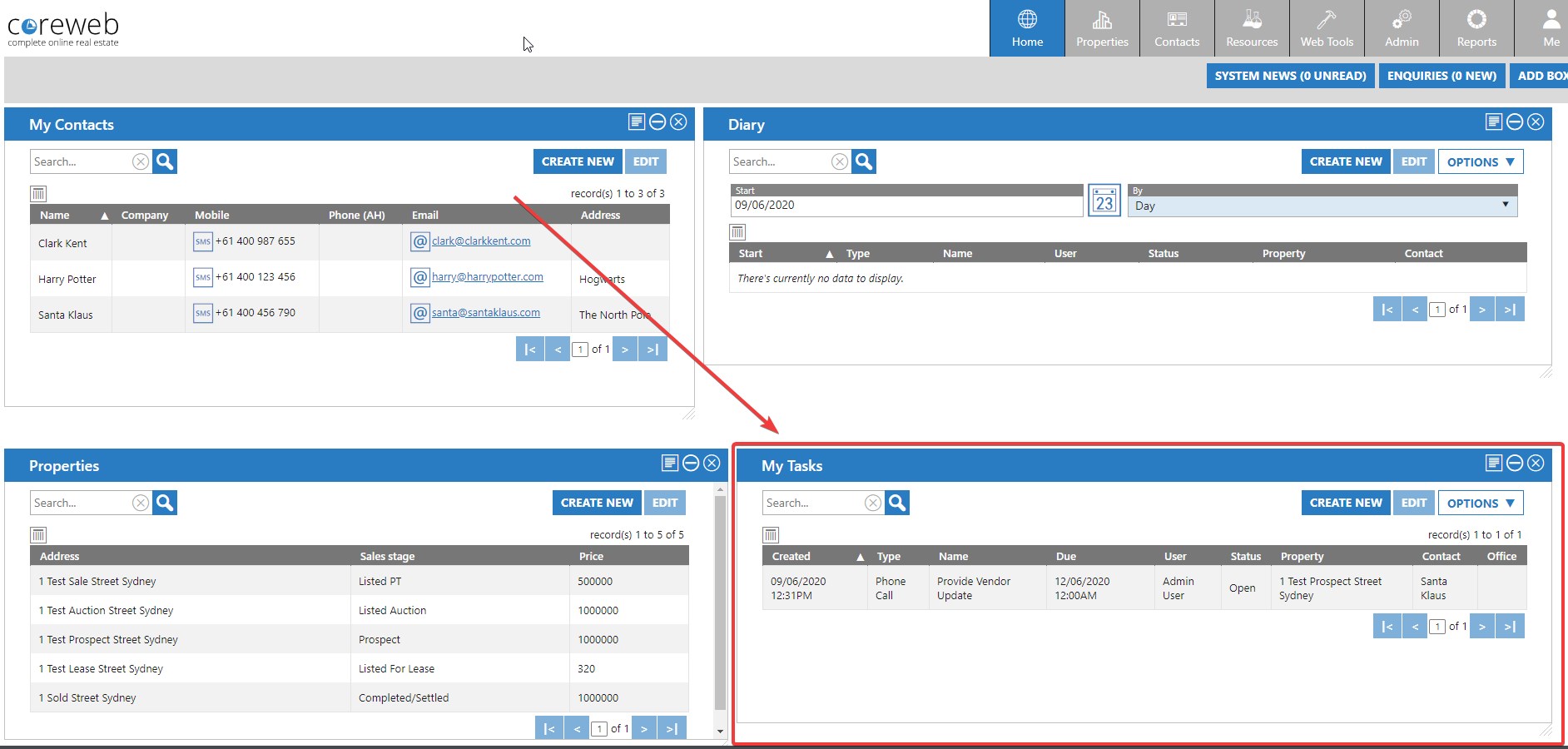
Provide the User with the ability to track to-do items that relate to a Property. These tasks could be set to be displayed on the User’s Home screen as a central place to be visually reminded. Anything added here will appear in Core Mobile and can be viewed or edited while out of the office. Tasks can be single use, or can be set to repeat on a regular interval if needed.
Instructions
- Highlight the Property you wish to add a task to and click Create task. The task screen will appear:
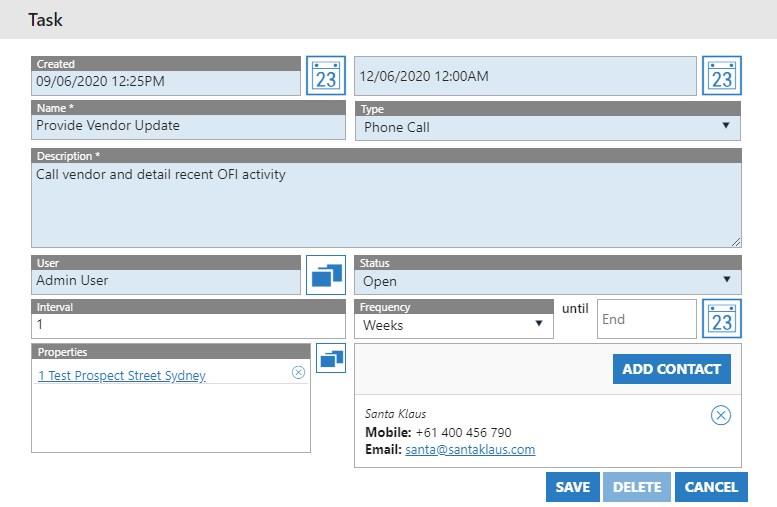
- In this example we are creating a weekly task to call the Property Vendor each Friday.
- Add the task name, description, type of task (predefined in Admin > Activity Admin > Task Types) and the Status. These are the fields required to continue
- You may also want to add an interval, and a frequency if the task will repeat. In this example we’ve added an associated Contact as well.
- Once done, press Save. The task appears in the Activity section of the Property. Below is an example of having your Tasks appear on your Home screen. This particular task is now showing there