Purpose
To provide an ability to leave notes on a Property. These are shown under the main Property details to remind others in your team or Yourself of something.
Instructions
- Highlight the Property you wish to add a note on and click Create note
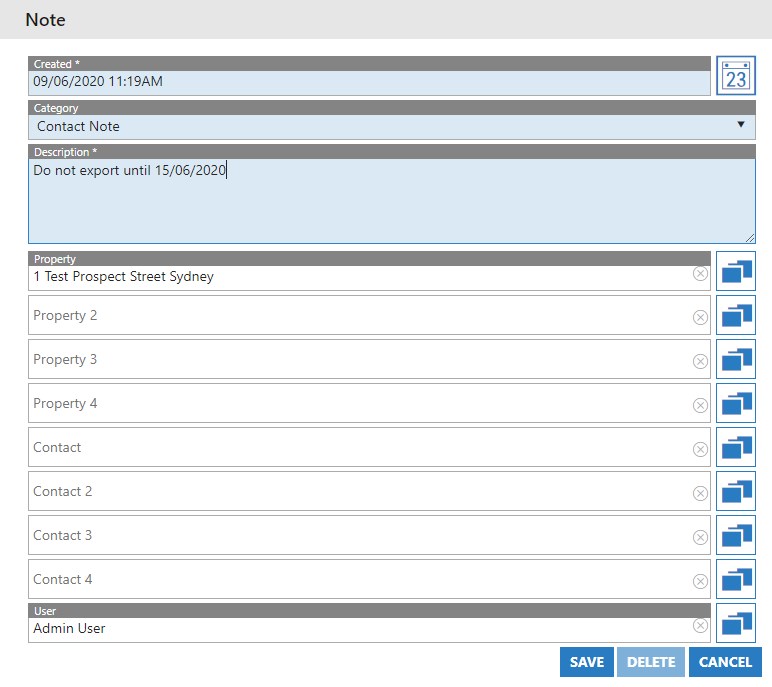
- Today’s date and currrent time will be automatically populated. Correct this if need be.
- Select a Note Category. These need to have been pre-defined for your agency under the Admin > Activity Admin > Note Categories section.
- Add your description – This is what you want the note to say
- The Property that the note will be added to has been automatically selected. If you wish to add the same note to several, you can select up to 4 if you wish.
- Once done, press Save. The note will be added to the main detail as below:
