Purpose
To associate prospective buyers or tenants with an open home session. To be able to do this, the property must have an open home appointment listed for it. This option is generally used after the open home to add any potential clients captured manually on the day. The Core Mobile client is the suggested method to quickly capture people’s details as automated communications will go out after the open home is finished to those that attended. You can SMS or email prospective clients or send a vendor report using the web based method also.
Instructions
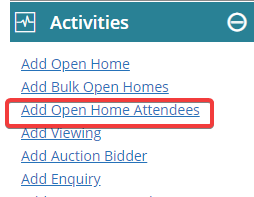
- Left click the property to highlight it, then click “Add Open Home Attendees” from the Activities Menu
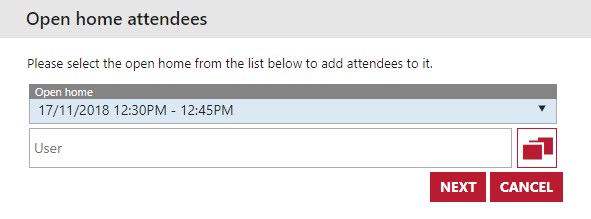
- From here you will need to select the existing appointment that you had to have created earlier. You can associate this step with a User if you wish. Press Next
- On this screen you are either able to add new contacts, or search for existing ones in the system to attend the open home. Search by either Mobile, First Name, Home Phone, Suburb, Surname, Email or Work Phone. Once you find the contacts you want, press the select button next to them and then Save once done.
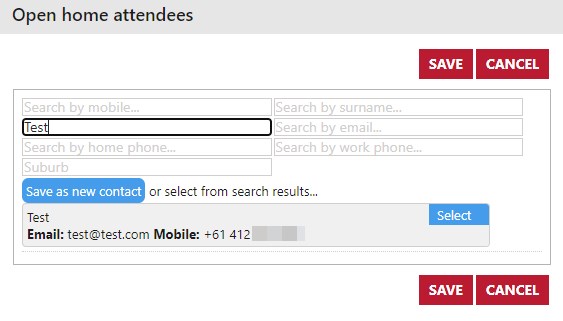
Note: Adding a contact from this screen defaults them as a prospective tenant, buyer etc depending on the property listing type. It also adds the Source of the contact as “Open home”
- After adding all of the attendees, you are able to SMS them, Email them, or send a vendor report to the vendor. If a prospect proceeds any further with the property you can capture this in the details of the property itself as they are now associated with it.