Developments/Projects
Purpose
This section gives you the ability to group a number of properties together into a Development/Project to be displayed on your web site
Instructions
- If you have never entered any Developments/Projects option you will be presented with the following screen
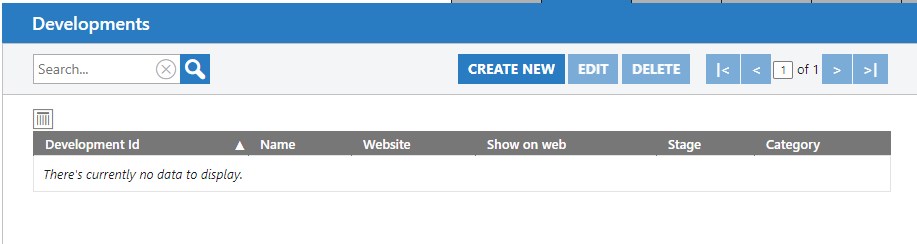
- Click Create New. The Create new Development screen will appear, defaulting to the Details tab.
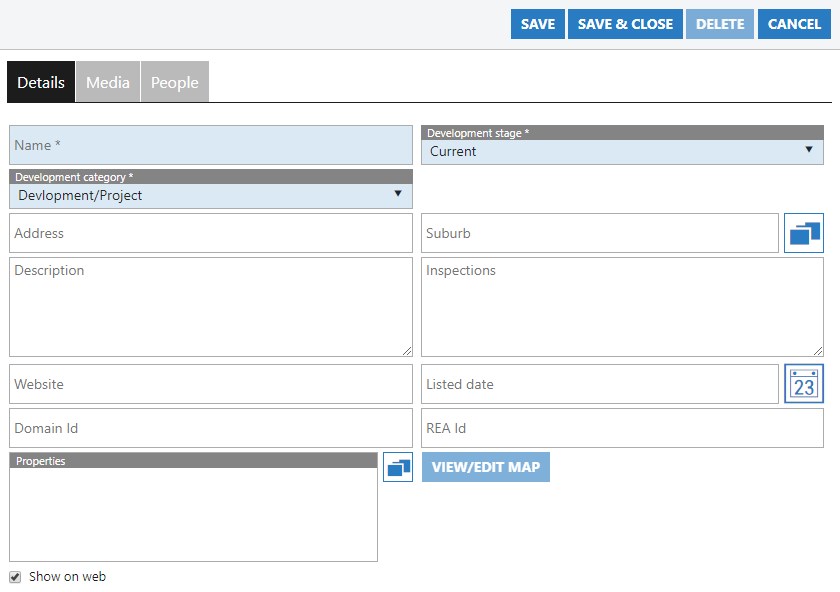
- Here you can give your Development a name, category and select the stage of the development. these are the only required fields. It is important to select the stage as this dictates whether it will appear in your list of current projects, or past.
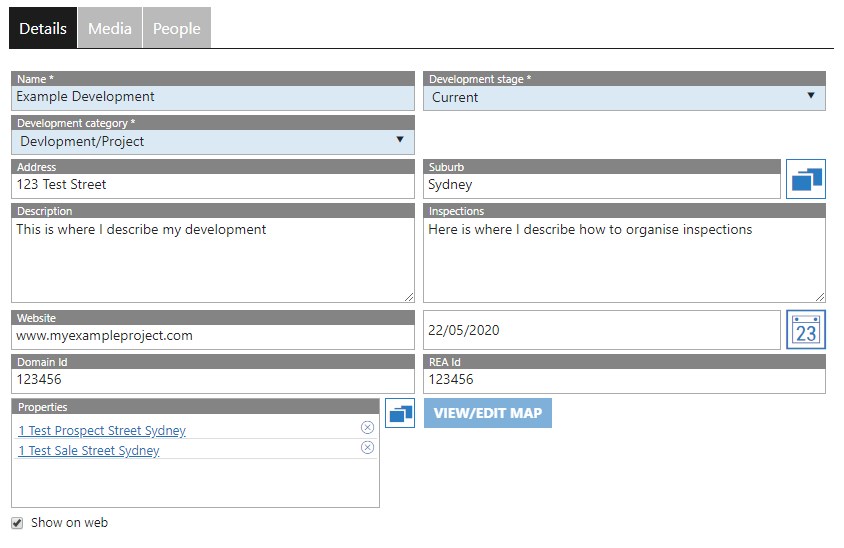
- Just as you would add in a normal property, it is recommended to give your Development/Project an address, and a description to appear on your web site.
- Adding the “Website” is used when the Development itself has its own dedicated page. Typically this might be separate to your agency website, and separate to the export portals ie www.myexampleproject.com.
- The Domain ID and REA ID fields are used to input the details given to you be either Domain or Realestate.com.au. This ID is given to you when setting up a development on each page. When entered correctly, the properties linked in the following step will be attached when exported from the system.
- One of the most important items here is the “Properties section” Here you can press the chooser button
 to then find the properties that are part of the Development/Project. Once selected, these properties automatically appear as individual sub-components of the Project when viewing it on your site.
 - Finally, the “Show on web” tickbox at the bottom left of screen indicates whether you want the project to appear on your agency website.
- An example of a completed Development below:
- The Media tab gives you all of the functionality that you have with a standard property. The ability to attach images of the development, documents or add any links to help advertise the listing. Detailed instruction can be found in the Properties > Online Media section
- The People tab allows you to attach Agents (Users) to the Development. Those added here will appear as the contacts for interested parties to communicate with.
- Once you have added all of the information needed, save your work. Your newly created Development will appear on the main window:
