Purpose
To give you a one-stop location that lists all Contact requirements dependant on your filtering conditions
Instructions
- Click on the Contact Requirements link under the Reports menu. The screen below appears:
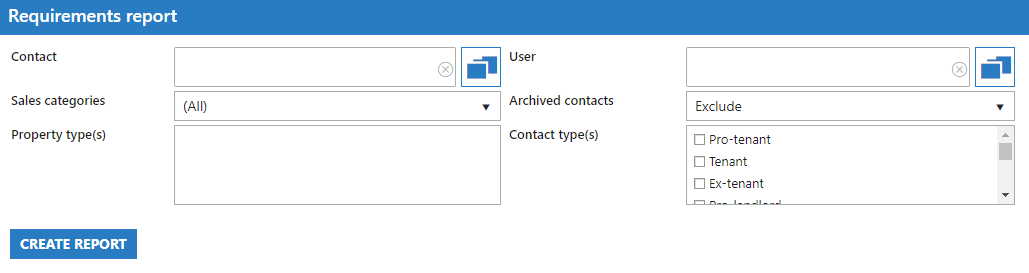
- Select the appropriate criteria to narrow down the results of your report as required. It is advised to run the report excluding archived Contacts so that only your active potential buyers etc are shown. Example output of report below:
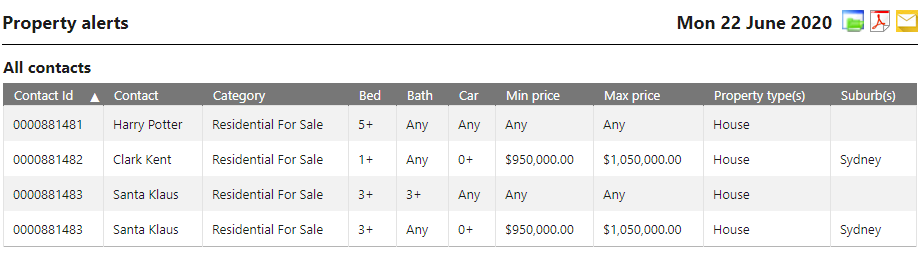
- Note that some Contacts may be listed twice as requirements can be gathered via a number of sources including OFIs or being added manually. If a Contact appears to have incorrect requirements for their current buying situation they can be edited via their Activity tab.