Purpose
Provide an ability to SMS one, or multiple contacts via the Core system. If you are in the details of a Contact and press this link it will autofill their details.
Instructions
- Click the SMS Anyone link under the Marketing menu
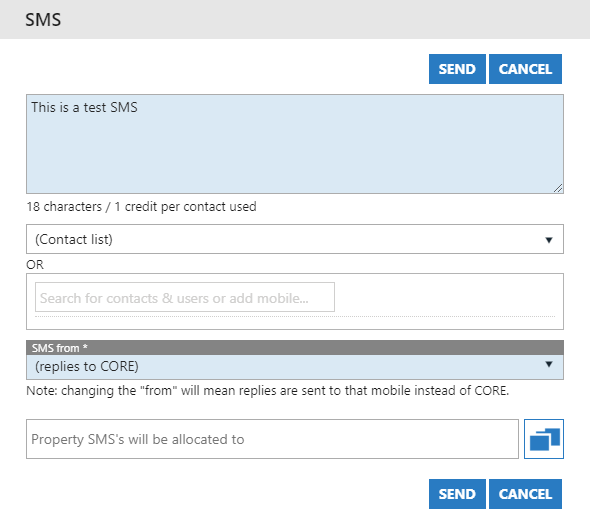
- Select a pre-defined Contact List, or simply search for the desired Contact using the options on the screen
- Next, fill in the body of the SMS. These are limited to 160 characters per SMS.
- SMS from can be changed to be from a generic agency address, or a specific User. Replies will be sent to the number you’ve chosen here.
- You can allocate the SMS’s to a certain office if you wish.
- Once done, press Send.