Purpose
Provide an ability to email one, or multiple contacts via the use of Standard Text and your inbuilt templates.
Instructions
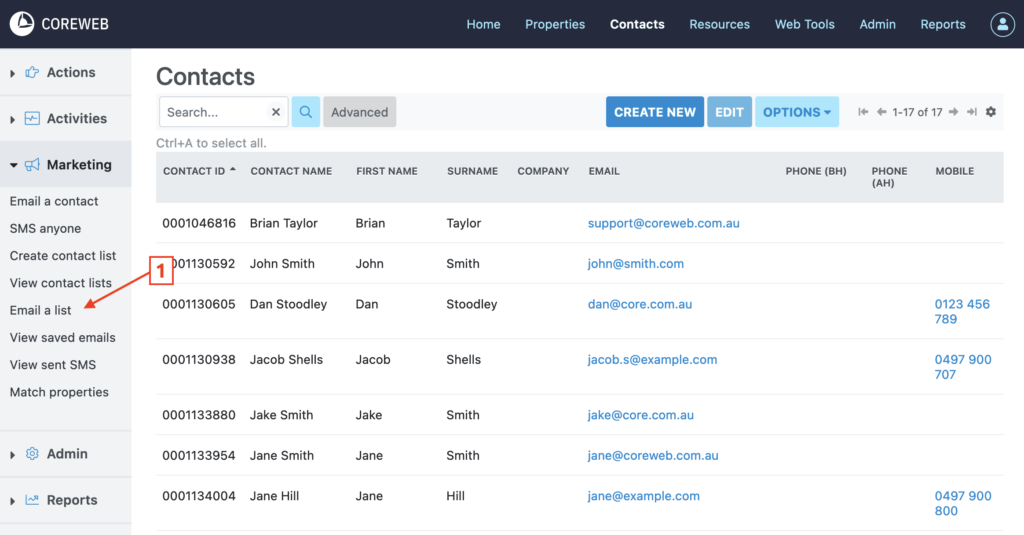
First, click on “Email a list” from the Marketing menu.
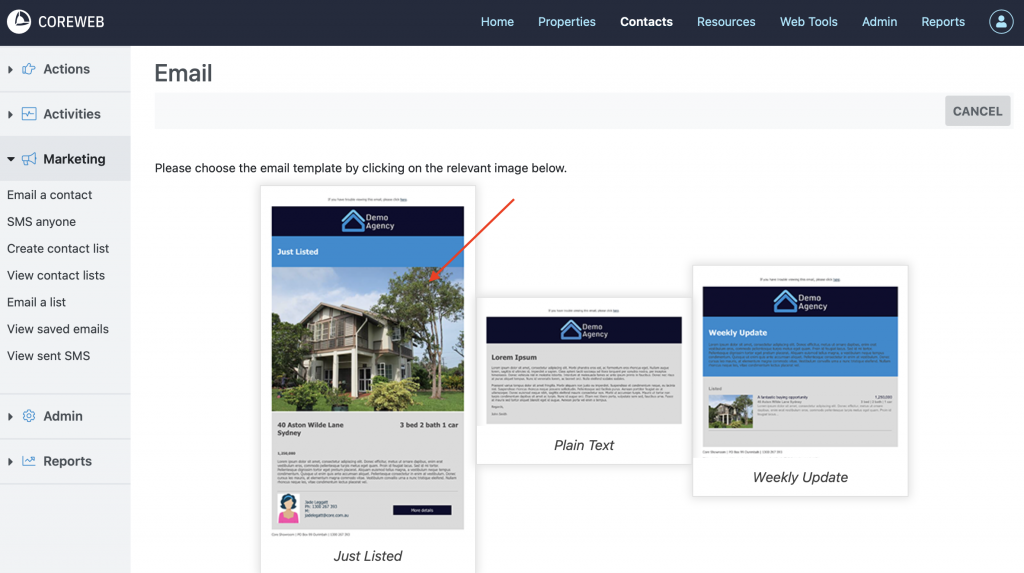
Next, select the email template you would like to send.
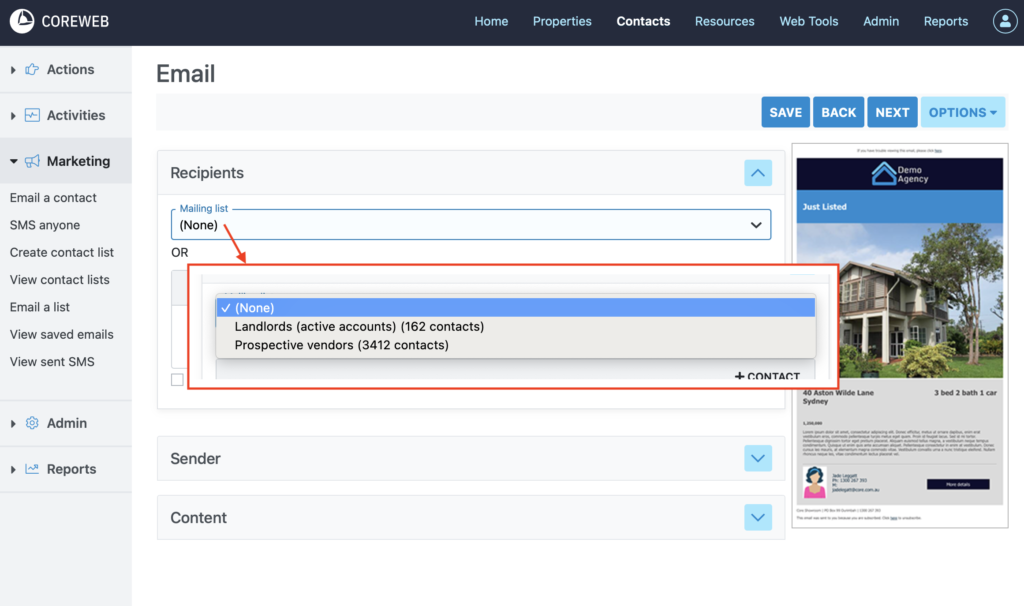
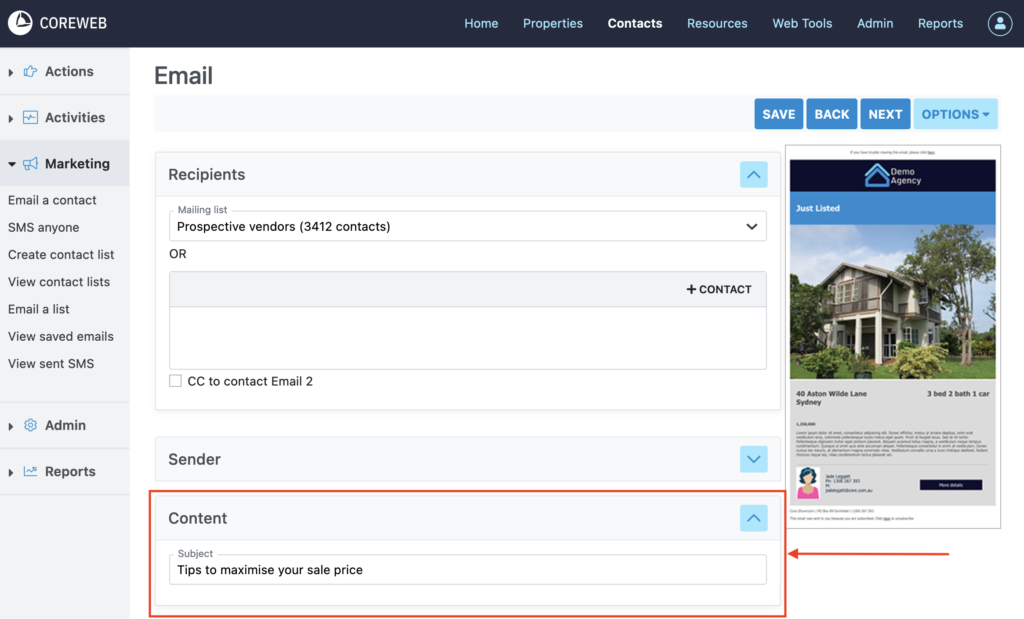
On the compose screen, select the email list you want to email.
On the compose screen expand the content panel and create your email. Here you can also press the Preview button to see what your email looks like at this point in time. Once done, press Next.
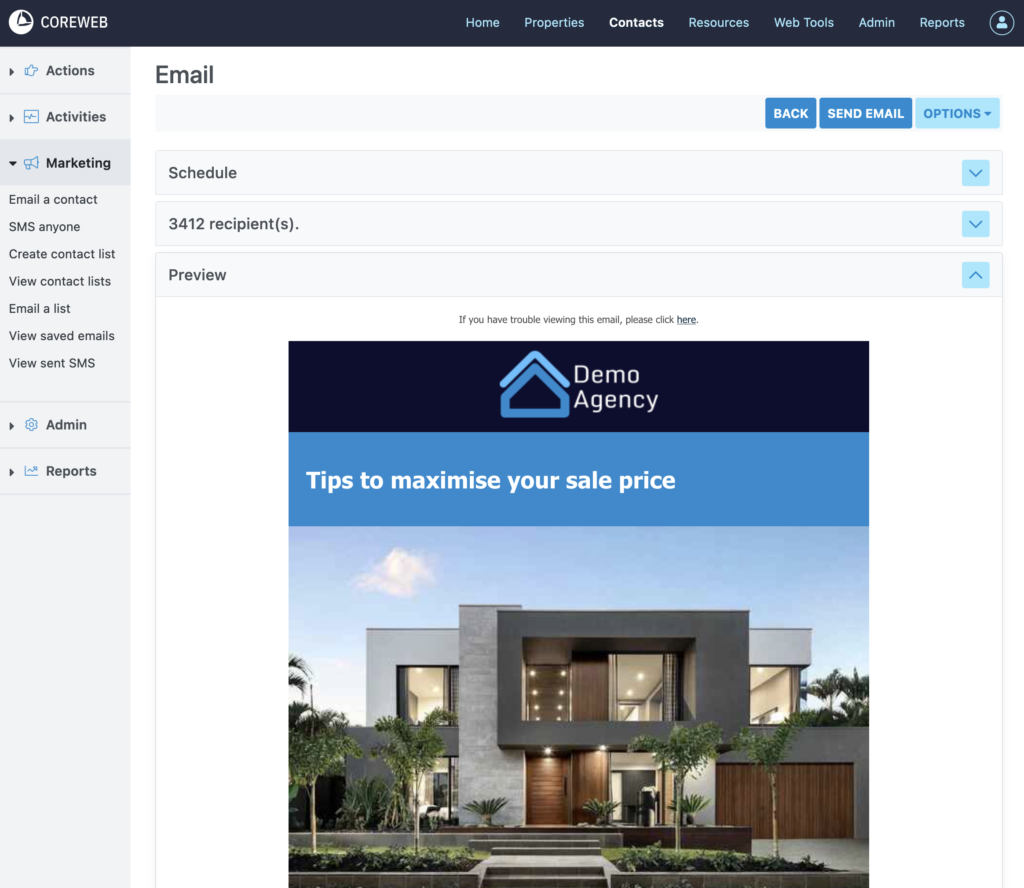
On the final screen you are presented with a preview of your email. If you wish to send this email at a certain time you can use the Schedule option and can also send a test to yourself using the “Send Test” button at the top of the screen.
Once you are happy with everything and are ready, press Send Email.