Purpose
To keep a record of any inspections performed on Properties by the Contact. This could be a Pest, Building, Rental or Strata inspection. Any inspections logged will appear under the Contact’s Activities section for future reference.
Instructions
- Highlight the Contact you wish to add an inspection for, then click the Add Property Inspection option under the Activites menu.
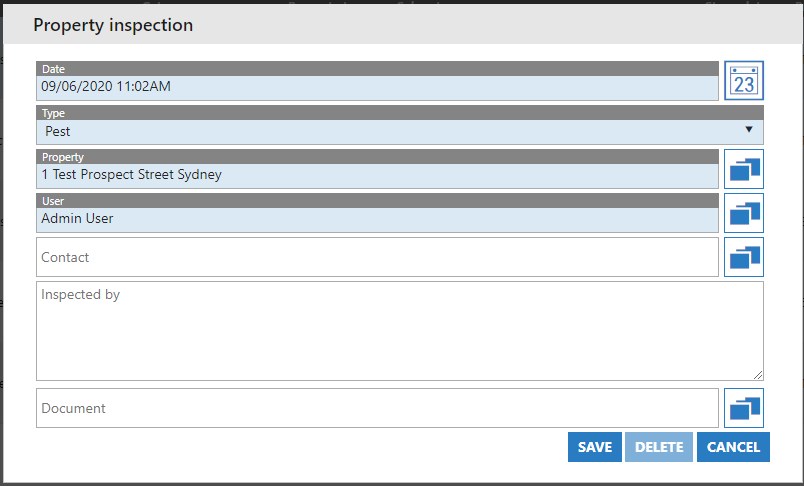
- Today’s date and currrent time will be automatically populated. Correct this if need be.
- Choose the Type of inspection being performed
- The Contact’s name will automatically fill
- Ensure that you select a Property to associate with the inspection
- Optionally you can manually type in who it was inspected by and attach any supporting documentation to be kept on file.
- Once finished, press Save.