Purpose
This function allows you to record any offers made by prospective buyers on the property. Once added, these offers appear as a history on the property for you to refer to later if needed.
Instructions
- Select the Contact you wish to record an offer on, then click the Add offer link. The following screen will be displayed
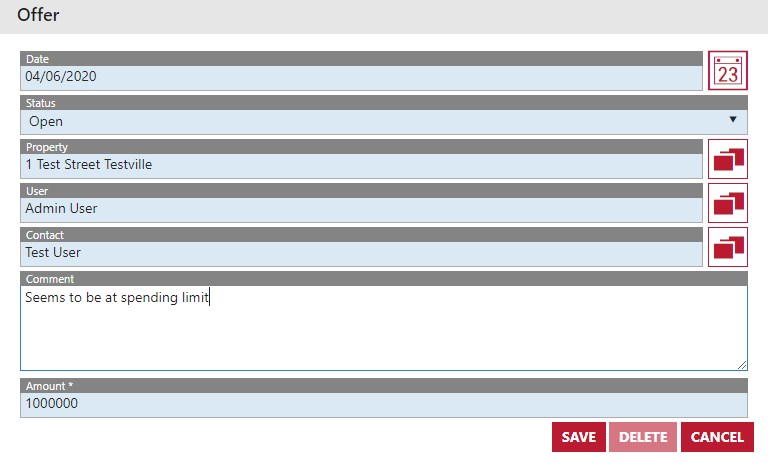
- The date and Contact will automatically fill. Choose the Property associated with the offer, the offer itself and note any comments you wish to make on the offer.
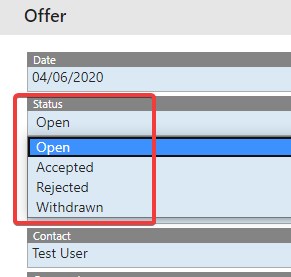
- The status of the offer is important as it allows you to track where things are up to. Once an offer is added it should start in the “Open” status. You can move it to the other statuses of Accepted, Rejected and Withdrawn as it progresses. See below:
- Once you have added the detail, save the offer. It can now be seen in the Contact’s Activity tab