Purpose
This option exists to keep a record of when a contract has been issued and is associated with the selected Contact
Instructions
- Highlight the Contact you wish to record the contract being issues on and click Issue Contract
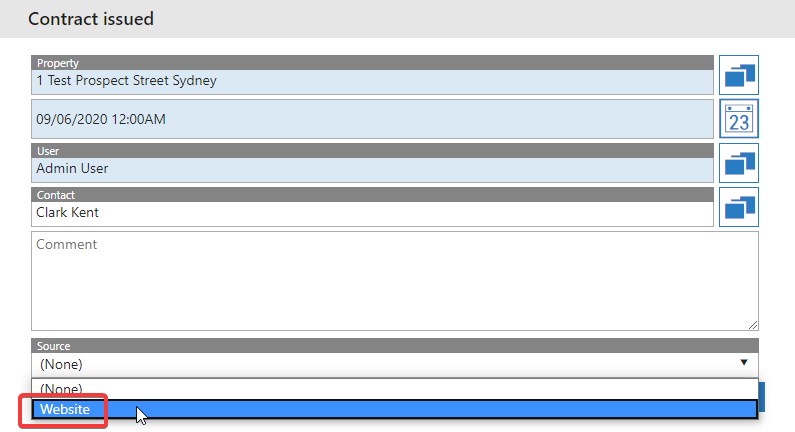
- The Contact’s name will and User will be pre-filled. Manually enter in the Contract issue date. Enter the Property details for the contract
- Optionally you can add the Contact that the contract was issues to, leave any comments relating to this and also choose a source for it to have been issues from. This is configured under Admin > Activity Admin > Activity Sources. For this example we will use “Website”
- Once done, press Save. This now appears in the Activity history on the Contact along with the Properties history