Purpose
This section is designed to give you a list of all Contacts that have attended open homes (OFIs) or Viewings, all in one place. All of these Contacts are attached to Properties individually, but finding and actioning them this way may be innefficient, hence the need for this screen.
Instructions
- Click on the Attendees & Viewings link. you will be taken to a screen similar to below:
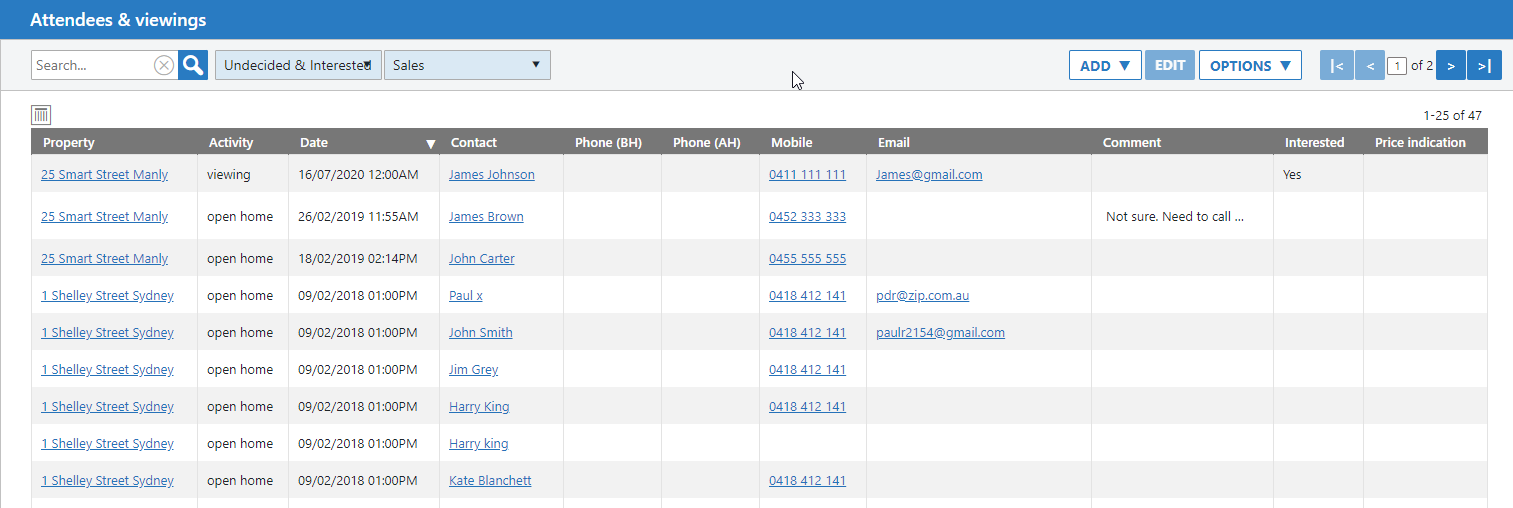
- At the top left of the screen you’ll find Search, plus some dropdown menus to help you filter the list in your desired format.
- Typically you would want to see Contacts who are undecided, interested, or both. The default setting is Undecided & Interested meaning you are yet to categorise them or you have and they need follow up. This setting can be considered a “To-do” list.
- You may want to filter to just those that are undecided, just those that are interested, or those that aren’t interested at all that you might want to check in with at a later date.
- The dropdown to the right allows you to filter between Sales & Rentals (combined), Sales, or Rentals
- Once you have your desired list, you can start your work. The intent is to contact each person and update their comment, and gauged level of interest. Once their interest is set to something outside the bounds of your filtering they will dissapear. Eg if your filter is set to “Interested” and you change a Contact’s interest to “No” they will leave your list.
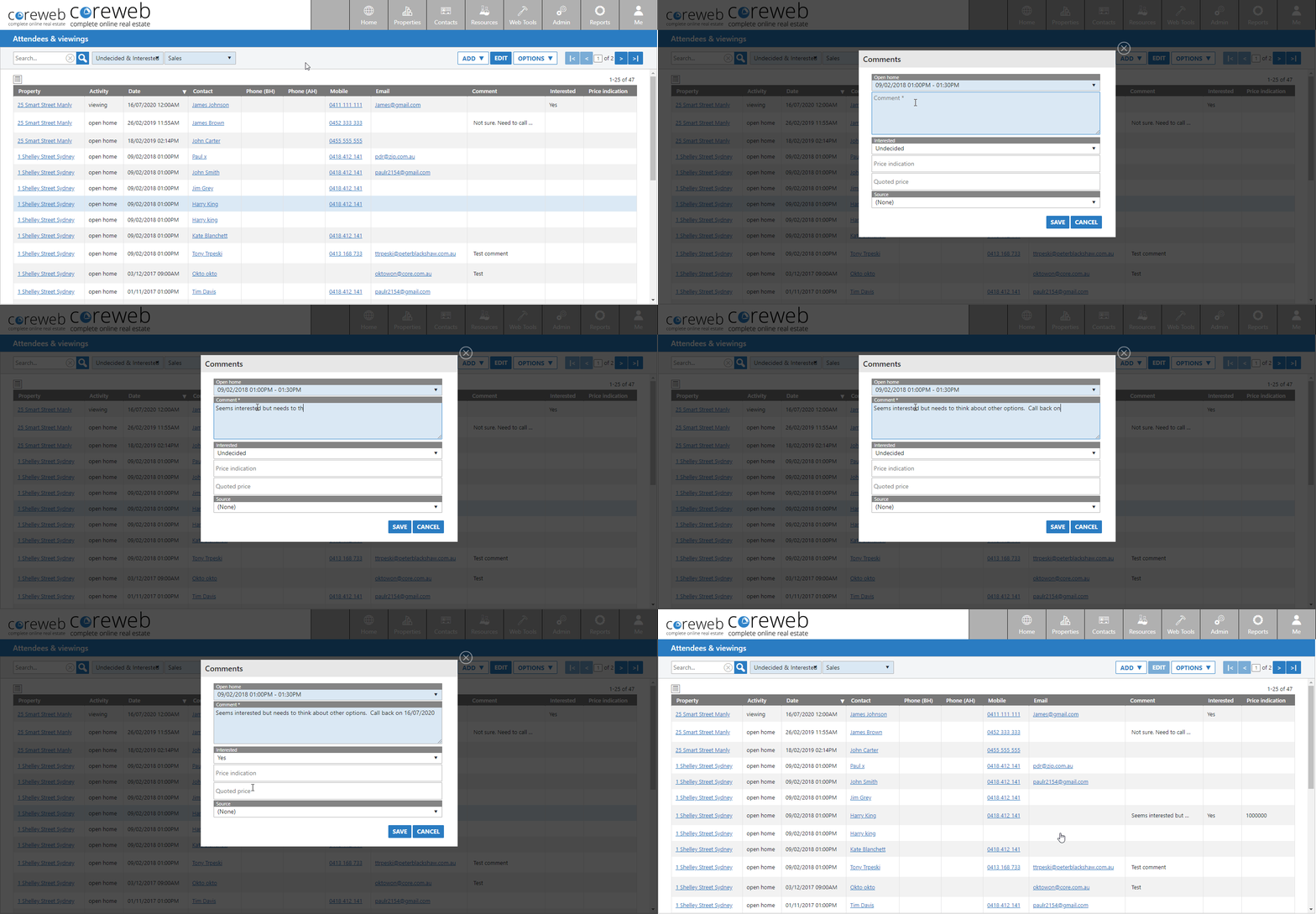
- To update the information you can either double click, or highlight then edit. Here’s an example below:
- Once you have been through your list, your Undecided & Interested list should only contain people that are serious about buying.