Purpose
Serves as a location to manage email addresses that do not work. This typically will have occurred if Core has attempted to email the Contact but has received an error message in response.
Instructions
- Click View Bad Email Addresses in the Admin menu. You will see a screen similar to below:

- Here you’ll see a summary of the email addresses marked as invalid and require fixing.
- Double click, or single click then press Edit on an entry to fix. This opens up the Contact’s details.
- You will see in red the prompt to update the details. Once this has been done the address can be re-validated:
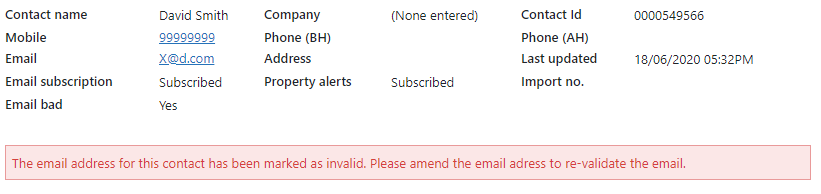
- Edit the Contact’s email address and Save to complete.