View Contact Lists
Purpose
To give you the ability to see past Contact Lists that have been created, but also the option to create new ones. You can also delete, edit and export your lists from this screen if needed.
Instructions
- Click View Contact Lists from the Marketing menu
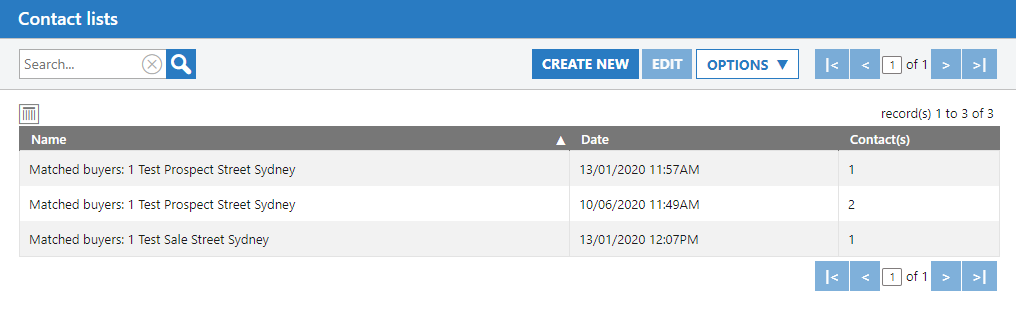
- A list of all Contact Lists will be displayed. From here you can see the name they were given, the date they were saved and how many Contacts are in each one.
- You can click Create New to add a new Contact List. You can highlight an existing list, then press Edit to make changes to it or using the Options menu you can delete, or export them out to a CSV.
- Creating a new Contact List is the same process as the section of guide above. Please reference this for instruction.