Purpose
Trails need to be configured first via Admin > Activity Admin > Trails. They are a way of grouping tasks together. An example of this would be to map out a list of items that would be performed after adding a new prospective buyer to your list of contacts. Each item in a trail can have an offset amount associated with it to automatically trigger X days after the start date. ie if you want to call every prospective buyer one week after a Trail has been added to them, you’d set this as 7 (days). All tasks associated with the trail will be added to the Contact and reminders will be issues to the appropriate Users as they become due.
Instructions
- Highlight the Contact you wish to add a Trail to and click Add Trail
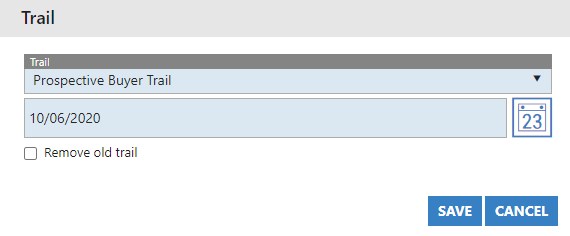
- In this example we are using a pre-configured trail called “Prospective Buyer trail”. Select a start date for the Trail to begin
- If there are Trail related items already on the Contact, you can remove them all by ticking the “Remove old trail” box and pressing save. This will not remove any individual tasks that have already been set up outside of the Trail activity.