Purpose
To associate prospective bidders on an auction property. This option is generally used after the open home to add any potential clients captured manually on the day. The Core Mobile client is the suggested method to quickly capture people’s details
Instructions
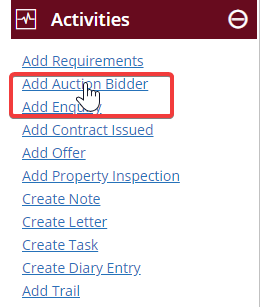
- Either select the contact from your contact list, or double click to open it, then click Add Auction Bidder from the Activities Menu
- The contact name and a User will pre-fill. You can change these if you wish. You will need to select a property for the Auction by either choosing a pre-existing one, or adding a new one. It is easiest to do this by clicking the boxes on the right seen below:
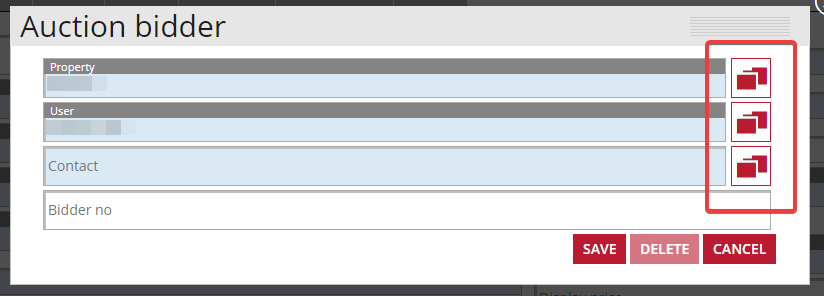
- Once you have filled out all of the required field press Save.