Purpose
To associate property criteria with a prospective buyer so that they can be filtered easily for future communications
Instructions
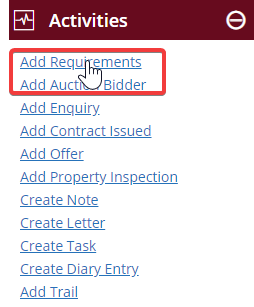
- Either select the contact from your contact list, or double click to open it, then click Add Requirements from the Activities Menu
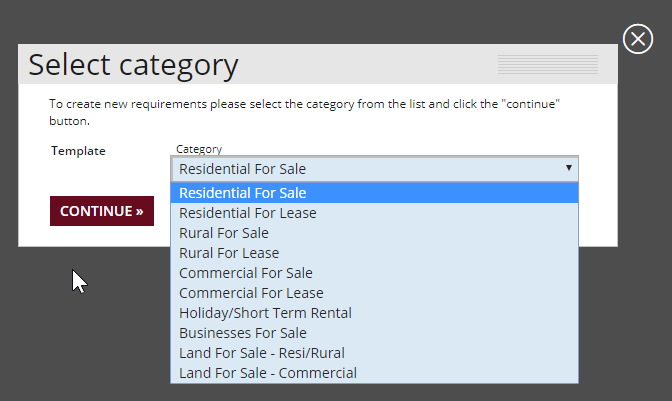
- You will need to choose a category for the contact. Click the drop-down and pick the type of property they are looking for, then click continue
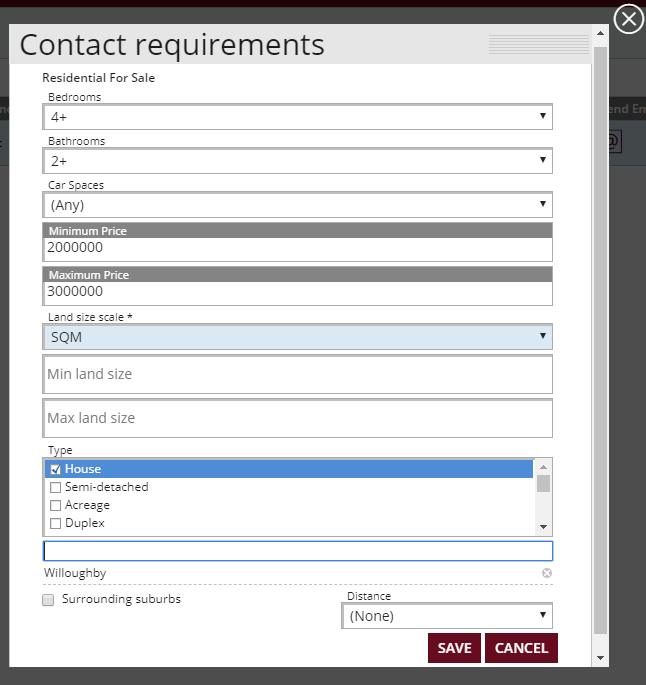
- Next, enter in the specific requirements of the prospective buyer. Enter as little, or as much as you want to, remembering that being too specific will cause them to be potentially filtered out from listings. Once done, press Save
Note: You can add multiple suburbs. After adding your first, go back to the search window to continue adding more. You can also select distance from a certain location if you wish.
- You will be taken back to the main Contacts menu. Open your contact and click on the Requirements tab – here you will find a listing for the items you’ve just associated with them
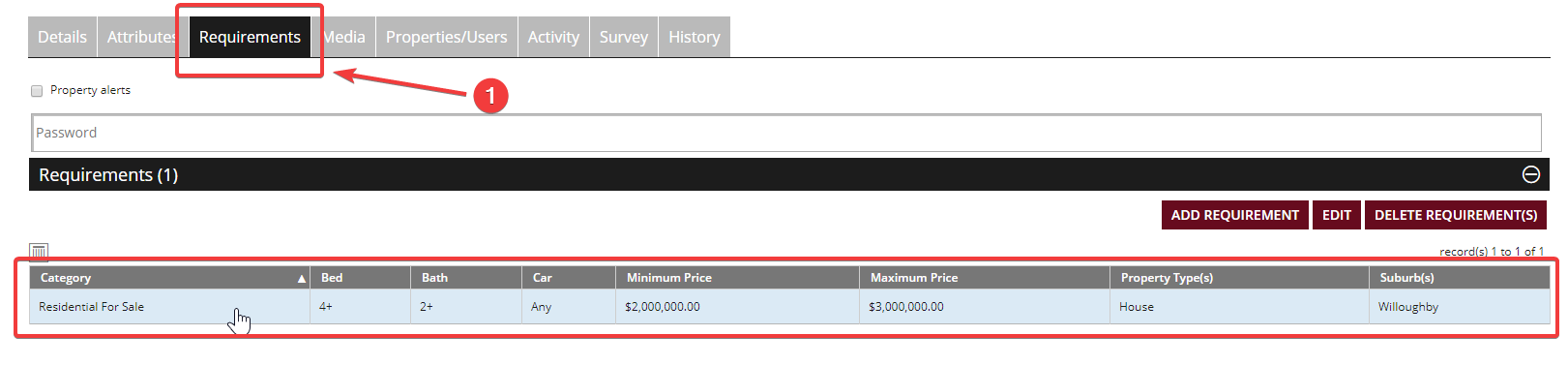
- You can add multiple requirements if you wish. You can also edit, or delete them from this screen.