Purpose
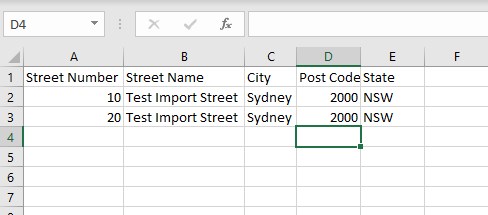
This option gives you the ability to upload a large number of Properties into the Core system via a CSV file. It is important to ensure that the data you are providing is consistent in its format and closely matches the Core formatting as much as possible. Eg Key fields would be Street Number, Street Name, City, Post Code, State etc. The better quality the data is going in, the easier it will be to manipulate once it is sent to Core. A very simple example for illustration below:
Instructions
- Ensure you have your CSV files saved on your hard drive then click the Import Properties link, starting the wizard.
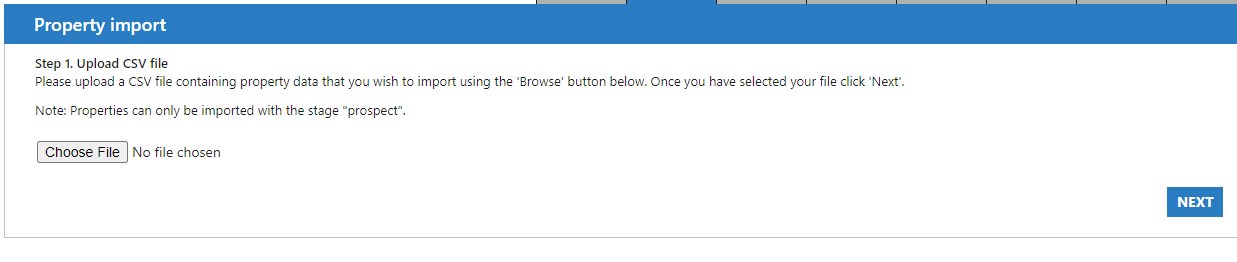
- Browse to the location of your file and select it, then press Next. It will be uploaded to Core and then analyzed for compatibility.
- After Core has checked your file it will try to match your CSV file’s fields appropriately
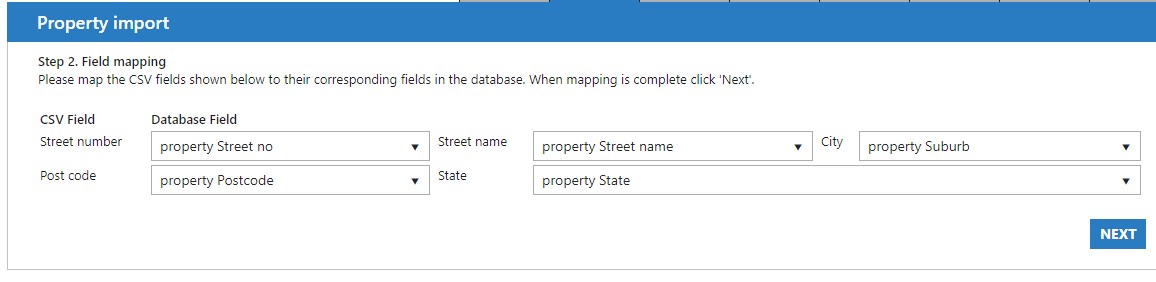
- In this example it automatically, correctly mapped the Street Number, Street Name, City, Post Code and State. Check these to ensure that your CSV fields all match your Database fields correctly then press Next
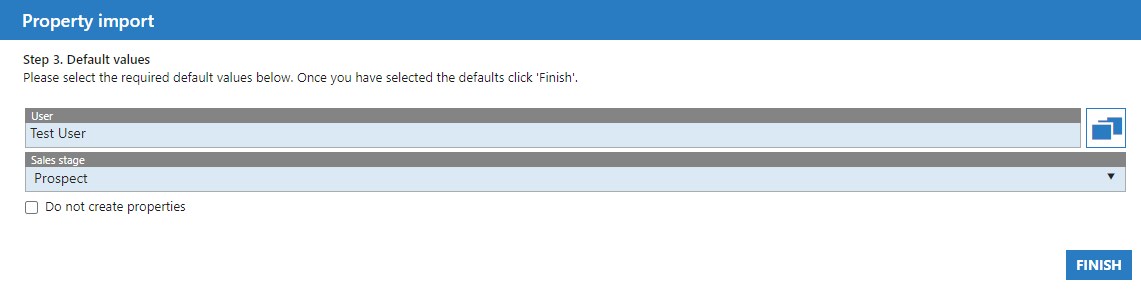
- You are now asked for a Property User, and the Sales Stage for your imported Properties. For the example we’ll leave them as Prospects
- Press Finish. You will be given a summary of your import

- Now that we have finished and there were no errors, checking the Property section shows the two newly imported Prospects. They will still need editing to fill in any further missing information – Price, photos etc.
