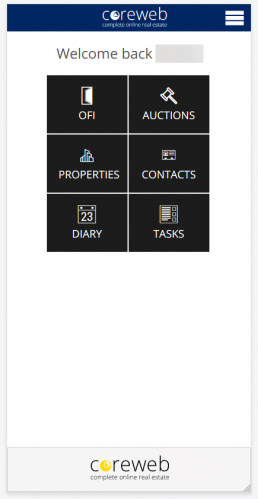
Navigation – Main Screen
This is the Core Mobile main page. You will see this after logging in. From here you have easy access to all of your mobile tools.
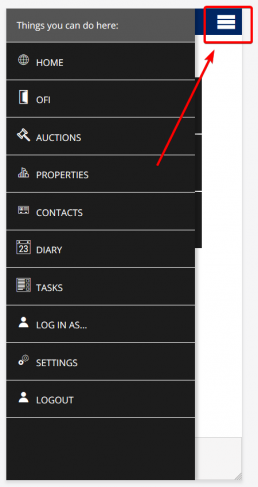
Navigation – Hamburger Menu
The “hamburger” menu at the top right of your screen allows you to get to any main menu option, plus Settings and the ability to log out.
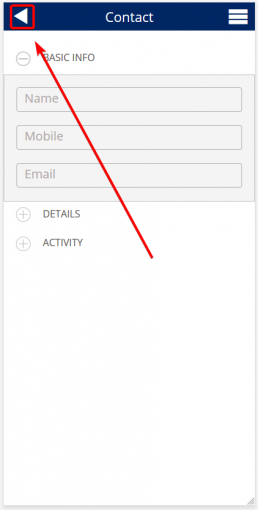
Navigation – Getting Back
Some screens have a Back button. This button can also act as a Save button when you have entered data into the fields.
Button Breakdown
OFI (Open For Inspection)
Purpose
The OFI area allows you to add the details of an Open For Inspection appointment and also capture the details of new or existing contacts that attend. The contact information captured here is valuable as it permanently adds new attendee details as a contact to the Core system for not only a quick follow-up with the property details post inspection, but long term communication on any other properties that meet their needs in the future. Existing contacts will have this property added to their Activities history, adding to your profile of them.
Auctions
Purpose
The Auction area allows you to add new, or associate an existing contact as a bidder on the auction property. As with an OFI, a new contact captured as a bidder will be permanently added to the contact database for future communications. When capturing, you can also provide the auction attendee with a bidder number to help associate them with bids as the auction is in progress. This screen also contains the “Launch Auction” function where you can live capture bids as they roll in.
Properties
Purpose
The Properties area exists simply to give you access to all of your Core property information when you are out of the office and need data, quick. While you cannot change information relating directly to the property, you can access activities relating to it and add open homes, viewings, offers, enquiries, tasks, diary entries and any helpful notes you wish relating to it.
Contacts
Purpose
Similarly to Properties, this section gives you quick and easy access to your Core contacts. Here you do have the ability to add or edit contact information, but also associate them with enquiries, tasks, diary entries and see any viewings or offers linked to them. It is a good idea to keep your contact information up to date so that your marketing strategies hit their mark.
Diary
Purpose
A single, meaningful screen showing you the calendar month, and identifying days that have something associated with them. This will include any open homes, but also any meetings that you’ve manually added either through the web interface, or through mobile.
Tasks
Purpose
A task refers to a single actionable item that you wish to remind yourself of. Tasks can reoccur if you wish. The intention of this screen is to provide you with a list of to do items, and their status (open, or done). You can set due dates and times, and associate the task with a contact or property should you wish.